
Smart Home
Smart Locks for Jersey Shore Rentals and Second Homes: Keyless Entry Without the Lockbox
Hristo Stefanov, Izzo Network · October 6, 2026
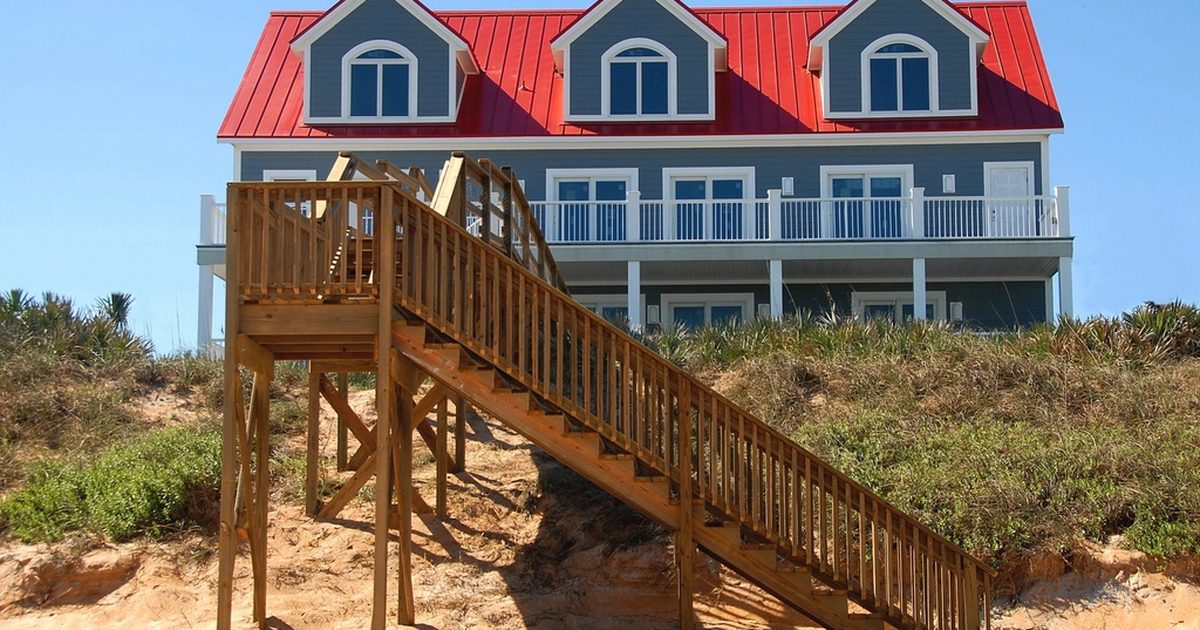
If you own a shore house in Ocean City, Margate, Ventnor, Brigantine, or Long Beach Island, you probably know the key problem. Guests lose keys. Cleaners need to get in between Saturday checkout and Saturday check-in. A contractor shows up while you are two hours away. The lockbox code has not changed since 2019, and you are not sure who still knows it. A smart lock fixes most of this, but only if it is chosen and set up for a house that sits empty part of the year. This guide covers what to look for, how codes should work, and how to keep the lock working through a salty winter.
Why lockboxes and hidden keys fall short
A lockbox or a key under the planter feels simple, but it creates problems that add up over a season:
- One code or one key is shared by everyone, so you never really know who can get in.
- Changing the code means a trip to the house or trusting someone else to do it.
- There is no record of when the door was opened, or by whom.
- Keys get copied, lost, or carried home by guests and workers.
For a home that changes hands every week in the summer, that is a lot of people with access you cannot track.
What a smart lock does for a shore house
A good smart lock replaces the key with codes and a phone app. For a rental or second home, the useful features are:
- A unique code for every guest, active only from check-in to checkout.
- Separate codes for cleaners, contractors, and family, each with its own schedule.
- An entry history, so you can see when the door was opened and which code was used.
- Remote control, so you can lock the door or create a code from home.
- Alerts, such as a notice when a code is used for the first time or when the door is left unlocked.
When a guest checks out, their code simply stops working. Nothing needs to be returned or changed.
Wi-Fi, Z-Wave, or Bluetooth: how the lock connects
This is where many shore-house smart locks go wrong. A lock can only be managed remotely if it can reach the internet in some way.
- Bluetooth-only locks work from your phone when you are standing at the door. They are fine for a primary home, but you cannot change codes from off-island.
- Wi-Fi locks connect straight to the home's Wi-Fi. They are easy to set up, but they need a strong signal at the front door, and they tend to use batteries faster.
- Z-Wave or Zigbee locks talk to a small smart home hub, which connects to the internet. They are usually gentler on batteries and work well when the hub also runs thermostats, leak sensors, and lights.
Whichever you choose, the lock is only as reliable as the house's network. If the Wi-Fi drops when the house is empty, you lose your ability to manage codes until someone resets the router. A solid whole-home Wi-Fi setup and a router that recovers on its own after power outages matter as much as the lock itself.
Batteries and backup entry
Almost every smart lock runs on batteries, and batteries always run out eventually. Plan for it:
- Pick a lock that sends low-battery alerts to your phone, not just a beep at the door.
- Replace batteries on a schedule, for example before Memorial Day and again after Labor Day.
- Keep a backup way in. Many locks have a physical key cylinder or a way to power the keypad briefly from outside. Keep that backup key with someone you trust nearby, not in a lockbox.
Salt air, sun, and winter
A front door a few blocks from the beach is a tough place for electronics. Salt air corrodes metal finishes and contacts, summer sun can fade or crack keypads on south-facing doors, and a house closed up all winter sees cold, damp conditions for months.
A few things help:
- Choose a lock with an outdoor rating and a finish meant for coastal homes.
- Consider a lock on a door that sits under a porch roof or overhang when you have a choice.
- Wipe down the keypad and handle at the start and end of each season.
- Test every code after a long stretch of cold weather, before the first guests of spring arrive.
Setting up codes for a rental season
A simple system keeps codes from becoming a mess:
- Guests get a code tied to the reservation dates. Many owners use the last four digits of the guest's phone number.
- Cleaners get a code that only works on turnover days and during set hours.
- Contractors and service techs get a temporary code for the day of the job.
- Owners and family keep a permanent code that never gets shared.
Some locks can connect to rental platforms or property management tools so guest codes are created automatically. Check that the lock you pick works with the tools you already use before you buy it.
Pair the lock with the rest of the house
A smart lock is even more useful when it works with the rest of a smart shore house. When a guest code is used, the thermostat can come out of its empty-house setting, the porch light can turn on, and you get a notice that your guests made it in. When the last guest leaves, the house can go back to saving energy. Water leak sensors and a doorbell camera at the entry round out a setup that lets you manage the house from anywhere.
Get help from a local smart home installer
Izzo Network installs and sets up smart locks, Wi-Fi, and smart home systems for shore homes and rentals from Mays Landing, NJ 08330, across Atlantic and Cape May counties and Long Beach Island. Call or text (609) 415-0011, or use the contact form on izzonetwork.net, to plan a setup that works whether you are at the house or not.
FAQ
Can I install a smart lock on my existing door?
Usually, yes. Most smart locks fit a standard deadbolt hole. Older or custom doors may need small adjustments, so it is worth checking the door before you buy.
What happens to a smart lock if the power goes out?
Battery-powered locks keep working during a power outage, and codes still open the door. Remote access may stop until the internet and the hub or router come back online.
How often do smart lock batteries need to be replaced?
It depends on the lock and how it connects. Many owners replace them once or twice a year. Wi-Fi locks usually need fresh batteries more often than Z-Wave or Zigbee locks.
Can guests get locked out?
It can happen if the batteries die or a code was set for the wrong dates. Low-battery alerts, a quick code check before each arrival, and a nearby backup key make lockouts rare.
Want help with your own house? Call (609) 415-0011 (Mon–Fri 8am–6pm) or send a short note.